

About IVP eBook & Audiobook Purchases
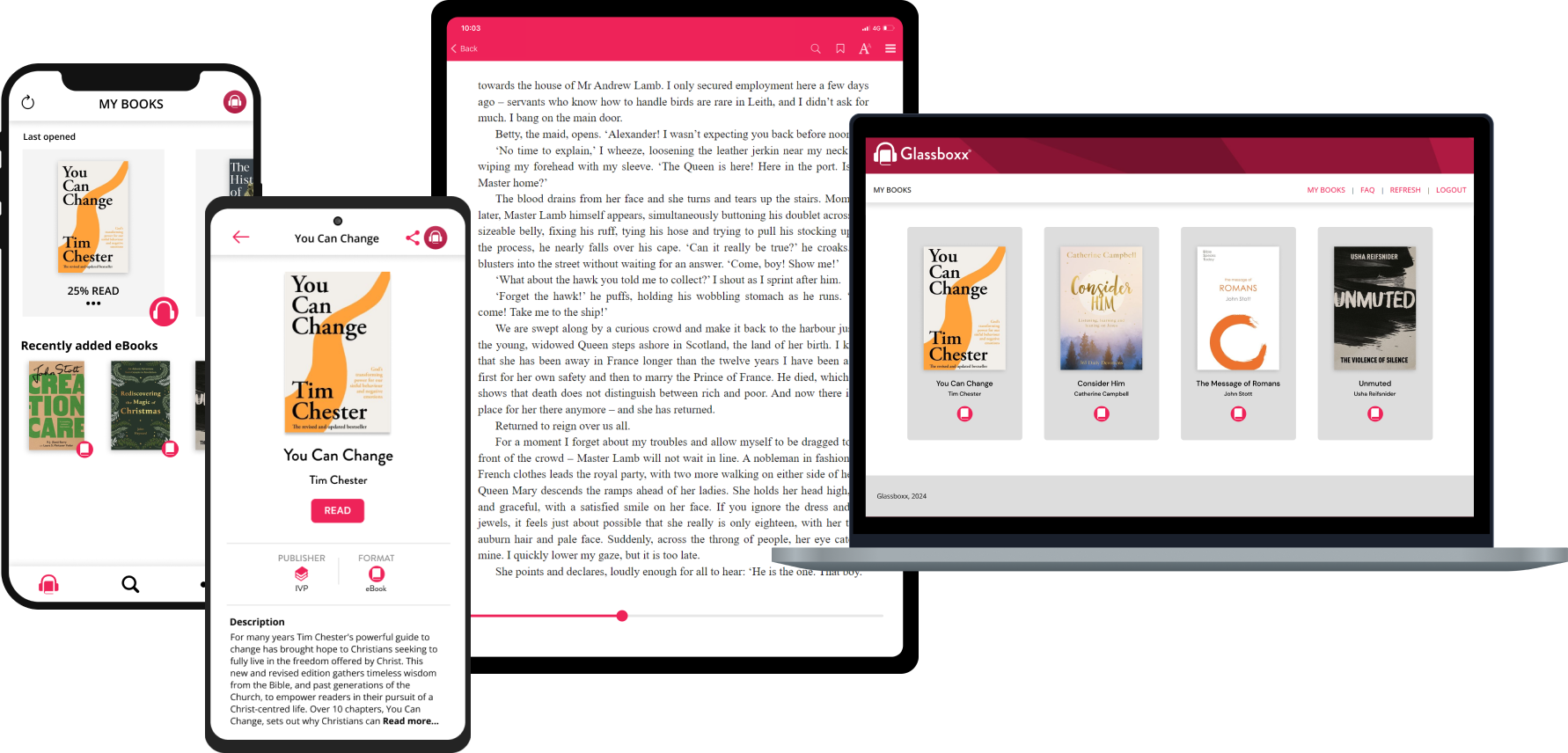
IVP is thrilled to offer audiobooks and eBooks for sale directly from our website to stream directly to your device through the FREE Glassboxx app.
Below you will find instructions and helpful tips for accessing your eBook and audiobook content.
Why Buy Directly From Our Website?
Audiobook and eBook purchases made directly through our website ensures that our amazing authors make more on every sale and help keep our small publisher alive and allow us to produce great Christian books that are true to the Bible for years to come.
What is Glassboxx?
Glassboxx offers easy-to-use audio and eBook access, all in one place - in their Glassboxx app.
Simply download the Glassboxx app (on iOS devices, Android devices, and PCs) and you’ll be able to access the ebook or audibook you purchased.
It's so easy-to use! Follow these simple steps for accessing your purchased eBooks and audiobooks.
1. Download the Glassboxx App on your phone or tablet:
Apple: https://apps.apple.com/gb/app/glassboxx/id1464705712
Android: https://play.google.com/store/apps/details?id=uk.co.firstygroup.glassboxx&hl=en_GB&pli=1
2. Or on your PC, download it from the Microsoft Store: https://apps.microsoft.com/detail/9nzklr5v4fq6?hl=en-gb&gl=GB
3. On Your Mac:
- Download the dmg file here: https://glassboxx.com/download-the-glassboxx-elearning-app/
- Double click the file to open the installer.
- Drag the Glassboxx icon into your Applications folder.
- Go to Applications and click on the Glassboxx icon.
- Click Open on the confirmation message.
4. Register by creating a login using the same email address that you used for your https://ivpbooks.com/ purchase.
5. You will see your purchased book under “MY BOOKS” in the app. Tapping on the cover image will open the e-reader or audio player and allow you be able to read or listen to the book. Please allow about 10 minutes for the eBook or audiobook to be available for download within the Glassboxx app.
To download Glassboxx for iOS, CLICK HERE. | Glassboxx for Android, CLICK HERE. | Glassboxx for your PC, CLICK HERE. | Glassboxx for MAC, CLICK HERE.
Glassboxx App's Fantastic Features:
 |
|
 |
|
 |
|
 |
|
 |
|
 |
|
 |
|
 |
|
 |
|
Terms of Use
Our ebook and audiobooks cannot be copied, shared, or printed. This is to protect the rights of the authors and the book publisher.
Returns and Exchanges
All sales are final. There are no returns or refunds on ebook or audiobook sales.
Accessing Your eBooks Bought Prior to 18th September, 2023
Since 18th September 2023, ebooks bought from us are available using Glassboxx. For ebooks bought prior to 18th September 2023, you can still download them from the My eLibrary page of your account area, and then use the default ebook reader on your mobile, table or computer to read the book. When you bought an ebook you will have received a link to your My eLibrary page, from where you can download your ebook onto your computer or other device. You can also log into your My eLibrary page here.
You can download the ebook up to five times so you can load it on to more than one device. NB: Each time you open it in a browser will count as one download so you will need to save it permanently by, for example, opening it up in an appropriate app on your device.
To read on a Kindle, you should use the MOBI option. MOBI files will generally take longer to download than ePUB files - anything up to a few minutes is normal.
Contact Us
If you have other questions about your ebook or audiobook purchase(s) from this website, please contact Glassboxx customer support at help@glassboxx.com.